Kouncil: Porting a Tkinter App to macOS
Overview
Kouncil is one Python codebase with a Tkinter interface, compiled to C with Nuitka. Until this month it had only ever run on Windows, and there was no Mac-specific interface code at all, because Tk is supposed to be cross-platform. Mostly it is.
The first Mac build ran on an Apple silicon laptop with python.org’s Python 3.14, and it took 34 fixes before I was happy with it. None of it was new code, just the same code meeting a different Tk. Kouncil’s 659 unit tests all pass on the Mac now, but most of these bugs only showed up in hands-on testing, clicking through the compiled app the way someone using it would.
I’m writing this down mostly so the next port doesn’t cost me the same two days again. If you’re taking a Tkinter app to the Mac, I hope it saves you some of them too.
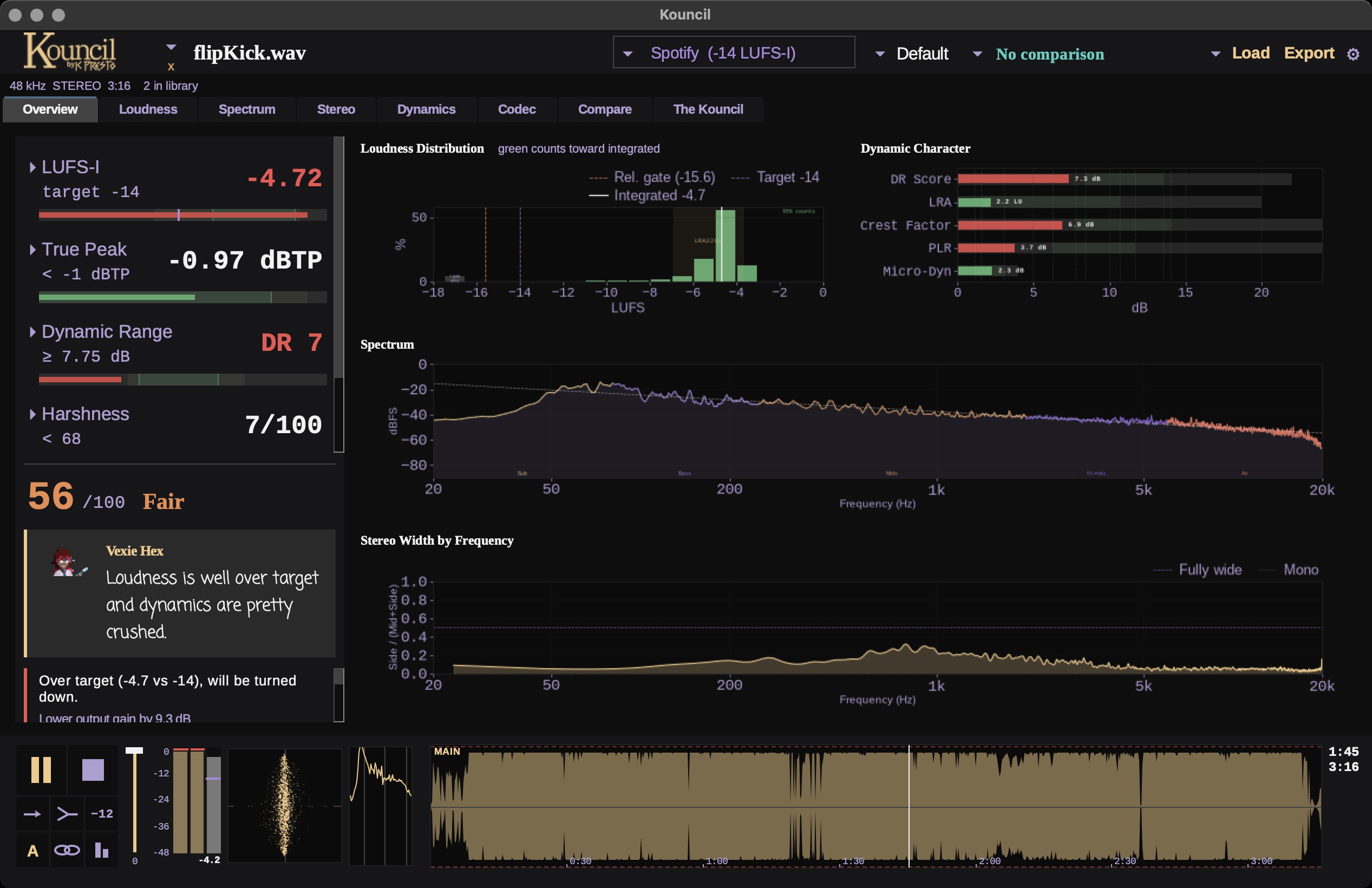 The compiled build on macOS 14.5.
Why These Bugs Didn’t Show Up on Windows
The Windows build runs Tk 8.6. Python 3.14 for macOS ships Tk 9.0, so the Mac build was also the first time Kouncil met Tk 9. Almost every bug from the port came from one of three places:
| macOS Tk | Tk 9 | Luck |
|---|---|---|
| Buttons and check boxes are Apple’s native controls and ignore the colors they’re given | Two-finger trackpad scrolling is a new event | Scroll areas relied on an event order that Windows happens to deliver |
| No transparent window margins | tkinterdnd2 ships a separate library for Tk 9 | A chart intro that could wait forever, on timing Windows rarely hit |
| Quit is Tk’s own menu code, and it just exits | Destroying a root that never ran crashes the next one | |
| Command instead of Control, Control-click instead of right-click | Hidden windows lay out much more slowly |
The first column is the Mac itself. The second will reach Windows too, the next time its build moves to a Python that ships Tk 9. The third column was already broken on Windows, and only happened to work there.
Buttons Ignored the Skin’s Colors
The first time I saw the Mac build, it was a dark, carefully skinned app with Load and Export drawn as light gray slabs, and the profile name as an empty white box.

 The header with Tk’s own macOS buttons, then with the fix described below.
On macOS, tk.Button is Apple’s native push button.
It takes your text color and ignores your background color, so every button in the app came out in the system’s own gray.
Kouncil has 61 of them.
Editing 61 call sites would have worked, but every module in the app reaches the button class as tk.Button at the moment it builds one.
So instead there’s a FlatButton, a label that behaves like a button, and one line at startup puts it in Tk’s place on macOS only:
def install_flat_buttons() -> None:
    if sys.platform == 'darwin':
        tk.Button = FlatButton
Most of the work was in matching what a button actually does.
A press shows the pressed color, the command runs on release, and only if the pointer is still over the button.
A disabled button ignores all of it.
The skin’s pressed color comes from Tk’s option database, which matches by widget class, so a FlatButton asks a real tk.Button what its pressed color would be.
Check boxes and radio options had the same problem, and the Export dialog was unreadable.
They got the same treatment, as labels that behave like toggles.
Then the Export dialog’s per-choice options disappeared entirely, because one function found its radio buttons with isinstance(w, tk.Radiobutton).
The fix was to make the stand-ins inherit Tk’s classes too, even though the widget underneath is a label:
class _LabelRadio(_LabelToggle, tk.Radiobutton):
    _RADIO = True
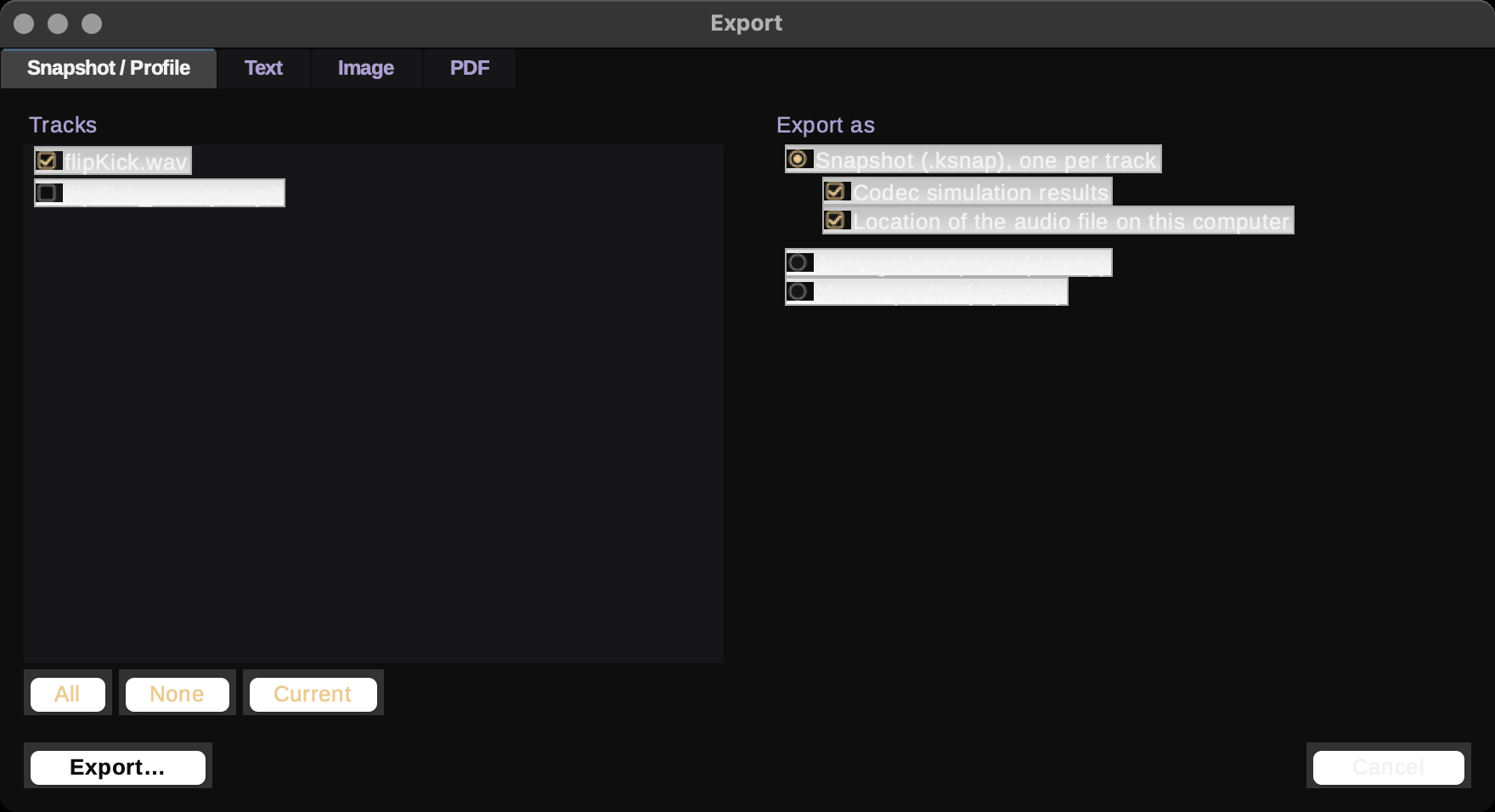
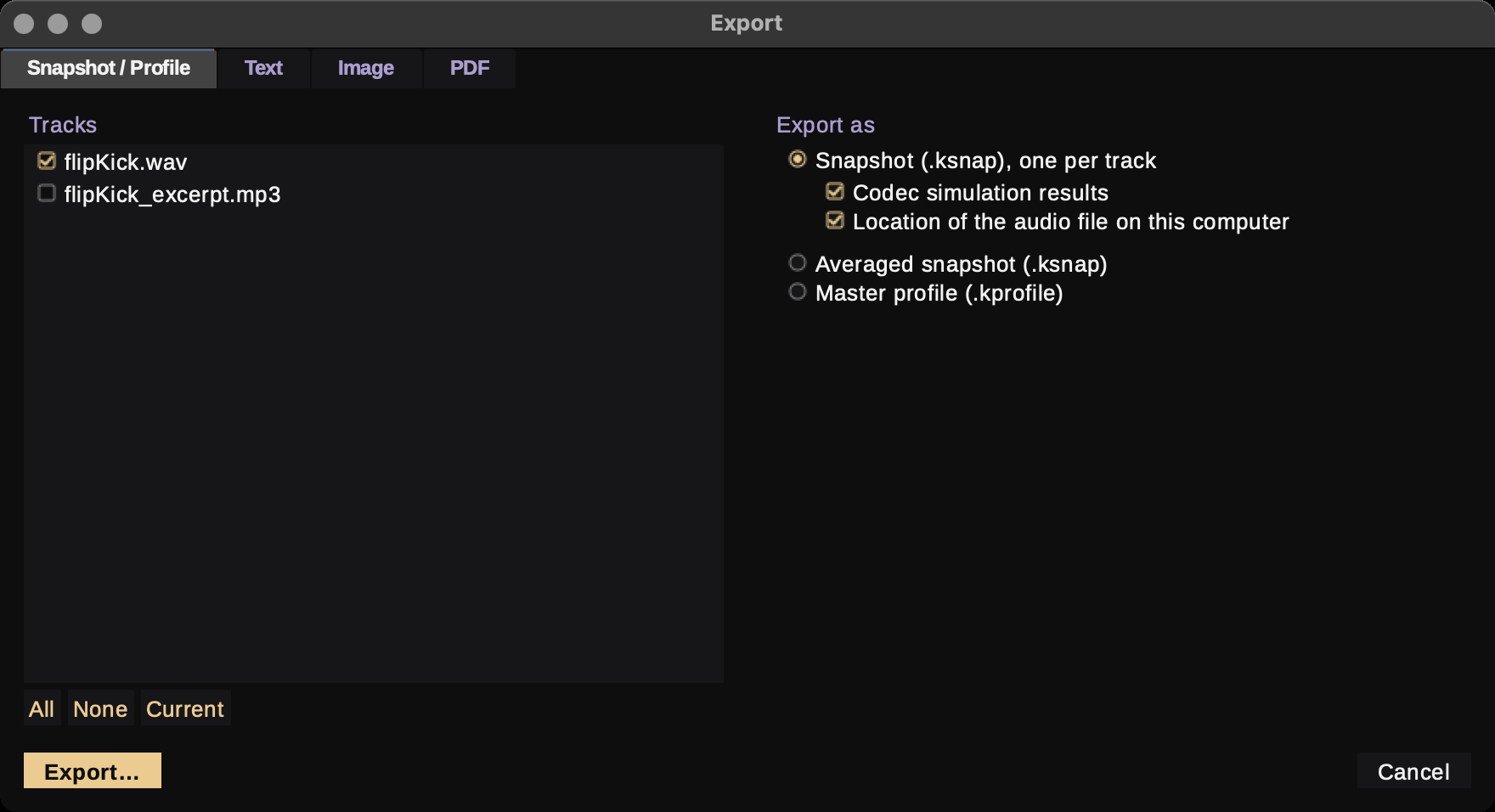 The Export dialog’s first tab with Tk’s own toggles, then with the label stand-ins.
Next time I swap in a stand-in for a Tk class, I’ll search for isinstance checks on it first.
The Profile Library Froze the App
The first real bug report was “it froze on codec analysis.” The log said the codec run had finished in 24 seconds, and the app had been sitting at 100% CPU for ten minutes anyway.
macOS’s sample tool records every thread’s stack about once a millisecond.
Here’s the main thread, trimmed, with the number of samples that landed in each frame:
3485  impl___main__$$$function__636__open_profile_browser  (Kouncil)
3485  impl_profilebrowserlib$$$function__28___init__  (Kouncil)
3485  impl_tkwidgets$$$function__59_show_window  (Kouncil)
3485  Tkapp_Call  (_tkinter.so)
3485  TkpWmSetState  (Tk)
3485  Tcl_DoOneEvent  (Tcl)
3485  TclServiceIdle  (Tcl)
        ...  14 frames not shown
3485  CA::Layer::display_if_needed(CA::Transaction*)  (QuartzCore)
3485  -[NSViewBackingLayer display]  (AppKit)
        ...  4 frames not shown
3485  Tcl_DoOneEvent  (Tcl)
3485  TclServiceIdle  (Tcl)
        ...  1 frame not shown
3485  Tk_MoveResizeWindow  (Tk)
3485  XMoveResizeWindow  (Tk)
        ...  1 frame not shown
1824  TkMacOSXInvalidateWindow  (Tk)
Every one of the 3,485 samples was in the same place. Kouncil had asked Tk to show the Profile Library’s window, and Tk never came back. The codec run just happened to be the last thing in the log before the freeze.
It wasn’t the compiled build, since the same freeze happened running from source. Bisecting by the number of profiles showed something growing much faster than the list:
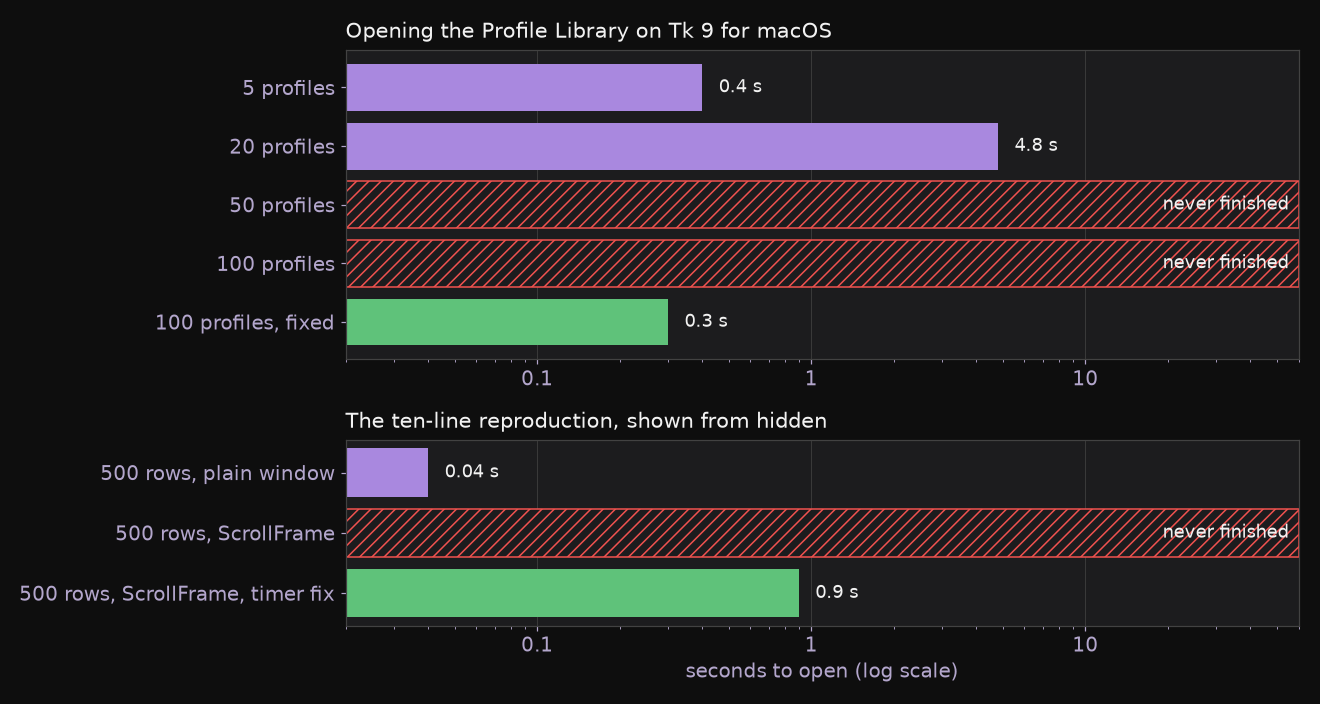 Open times on Tk 9 for macOS. “Never finished” means it was still stuck when I stopped it.
The description labels and the tag strip weren’t it.
The rows themselves were, specifically inside a scrolling frame.
I narrowed it down with a ten-line reproduction. In a plain hidden window, 500 rows showed in 0.04 seconds, and the same rows in a ScrollFrame, shown from hidden, never came up.
A ScrollFrame is a canvas holding a frame, and whenever the canvas changes size it stretches the inner frame to match.
When a hidden window is shown, Tk 9 on macOS gives it its size from inside its own redraw.
Resizing a frame of a few hundred widgets from in there made Tk lay everything out again, which resized the canvas again, and it never settled.
The fix came down to two ideas. On macOS the inner frame is stretched from a 1 ms timer, outside the redraw, which brought the reproduction to 0.9 seconds. And the Profile Library now fills its list after its window is on screen, rather than before. It opens in 0.3 seconds with all 100 profiles.
The same investigation found that the rows’ descriptions were being set 32,200 times while the dialog opened. They now set their text only when it changes, 250 times, on every platform.
Next time something freezes, I’ll sample the process before I read any code.
Shortcuts Stopped Working After a Dropdown or Dialog Closed
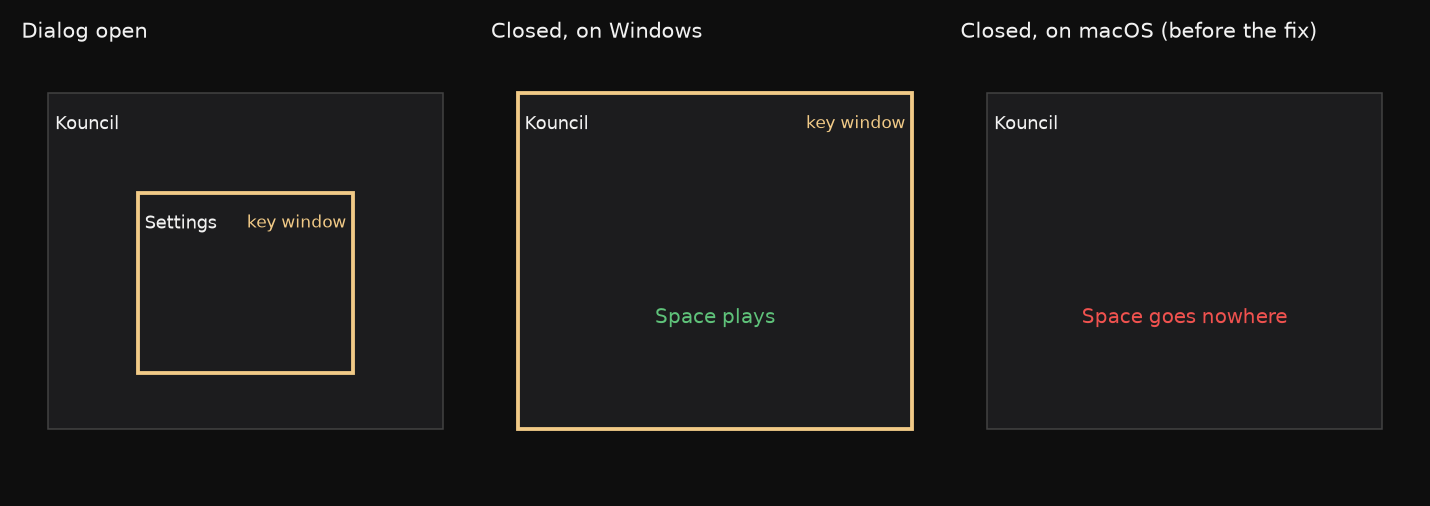
After picking anything from a dropdown, Space didn’t play, M didn’t switch tracks, and the number keys did nothing. Clicking in the window didn’t help. Logging every key and focus event showed the dropdown taking the focus, and then, when it was destroyed, no focus event ever coming back. The next key press arrived nowhere.
On a Mac, a dropdown list or a dialog is the system’s key window while it’s open, the window that receives the keyboard.
When it’s destroyed, macOS doesn’t pick another one.
Tk’s focus_set only moves focus between widgets inside a window, and doesn’t make a window key.
Windows makes the window below active by itself, which is why this never showed up there.
It wasn’t just dropdowns, either.
The same thing happened after Settings closed, after Export closed, after every dialog.
Every window in Kouncil is shown through one function, show_window, so the fix is one rule in one place. When a window closes, it hands the keyboard back to the window below it.
def closed(e):
    if e.widget is not window:
        return
    below = master.winfo_toplevel()
    below.after_idle(lambda: below.winfo_exists() and below.focus_force())
window.bind('<Destroy>', closed, add='+')
While I was there, I made Cmd+W close dialogs, as it does in every other Mac app.
Hold-to-Repeat Stepped Only Once
This bug was never explained, and got fixed anyway.
Kouncil’s number fields have - and + buttons that repeat while held. On the Mac they stepped once and stopped. The repeat code itself was fine. With simulated presses it went from 1.0 to 4.5 in a second and a half, and with a real held press in a test window it went from 1.00 to 4.75. But in the app’s Settings dialog, macOS delivered a release 20 ms after the press, with the button still physically held down.
I tried rebuilding the situation outside the app one piece at a time, with a modal dialog, a transient window, a notebook, a scroll frame, a focused text field, the drag and drop library’s root, a tooltip already up before the press, and a popup opening during it. Every one of them behaved. Inside the app, nothing ran between the press and the early release, no timer and no event.
So I stopped looking for the cause and asked the hardware instead.
macOS can report whether the mouse button is physically down right now, through CGEventSourceButtonState.
A release that arrives while the button is still down is ignored, and the button watches for the real one:
if w._repeat_delay > 0 and _mouse_button_down():
    w._watch_release((e.x, e.y))
    return
A hold now runs all the way to the limit, 1.00 to 6.00, and a click is still one step. The comment above that code says plainly that the cause is unknown, so whoever finds it later knows they haven’t missed an explanation.
Quit Skipped the App’s Shutdown
Every quit printed a warning about 12 leaked shared memory objects. The real problem was worse, since the app wasn’t closing at all. It was being switched off.
The clue was what wasn’t in the log.
It ended mid-session, with no “Closing” line and no “Session saved”.
On macOS, the app menu’s Quit and Cmd+Q run Tk’s ::tk::mac::Quit, which by default calls Tcl’s exit.
The process ends on the spot.
Saving the settings and the session, shutting down the playback process, cleaning up the codec audio, and Python’s own exit were all skipped, and the leaked memory was the playback buffers, left for the system to collect.
One line routes it through the app’s normal close:
self.createcommand('::tk::mac::Quit', self._on_close)
The log now ends with the session saved and no threads left running, and the warning is gone.
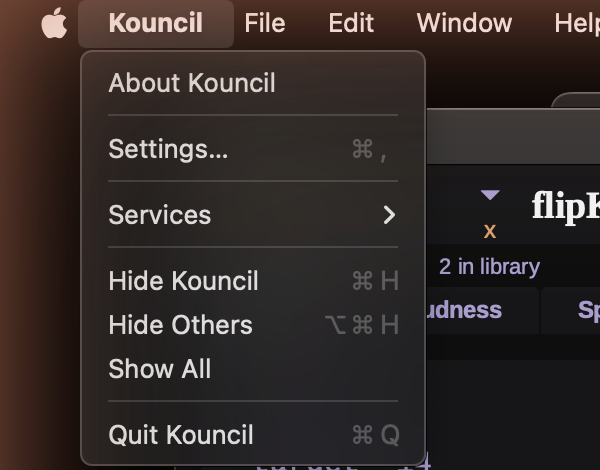
The same menu had two more problems. Settings… was grayed out, because Tk only enables it once the app names a command for it. Once it worked, Cmd+, opened two Settings windows, because the menu item and the app’s own shortcut both fired. Only one Settings window can be open at a time now, on every platform.
Smaller Fixes
- Trackpad scrolling - On a MacBook, two-finger scrolling did nothing anywhere in the app. Tk 9 sends it as a new event,
<TouchpadScroll>, and nothing listened for it. While fixing it I replaced every scroll area’s enter and leave tracking with one handler that asks which scroll area is under the pointer at each event, which is simpler and also fixes a latent quirk on Windows. - Recording Command shortcuts - The shortcut recorder read Tk’s modifier bit 0x8 as Alt. On a Mac it’s Command, so recording Cmd+O saved Alt+O, which macOS Tk reads as Option+O, which types “ø” and never fires. Shortcuts on the Mac now default to Command and show ⌘.
- Tooltips - Tooltips are built off screen so they never flash in the top left corner, and Tk 9 on macOS doesn’t redraw a window drawn off screen, so they came up blank. Once that was fixed they got stranded on screen. On Windows the pointer rests on the tooltip’s transparent margin, and the widget under it keeps the pointer. macOS has no transparent windows, so the tooltip took the pointer from the widget that owned it, and nothing was left to close it. On a Mac, tooltips now sit beside the pointer.
- The drag and drop library - tkinterdnd2 ships a separate drag and drop library for Tk 9. Nuitka bundled the Tk 8 one, and the app crashed at launch. A drag and drop library that fails to load now just turns drag and drop off.
- App scale and charts - Matplotlib turns Tk’s scaling into a chart pixel ratio on Windows and Linux only, so on the Mac the App scale setting grew text and left every chart at 1x.
- The test suite - 652 tests had never run on a Mac, and the run died with a segfault in a file that passed on its own. On Tk 9 for macOS, destroying a root window that never ran its event loop makes the next one crash. The app only ever has one root, but the tests make one per test, so the test runner now updates each root once before destroying it.
- Empty Compare charts - A chart redraw that turned out to be unnecessary left the draw queue without telling anyone, and the tab’s intro waited for it forever. Not a Mac bug at all, just one the Windows timing rarely lined up for.
What I’d Check First Next Time
If I were starting this port again, this is the order I’d go in:
- Run the unit tests on the new platform before anything else, and expect the test runner itself to need a fix.
- Find out which Tk the platform’s Python ships, and whether any bundled native library (tkdnd, in my case) needs a separate build for it.
- Look at one screen in a dark skin. Native buttons and toggles that ignore your colors show up immediately.
- Quit from the app menu and with Cmd+Q, then read the end of the log.
- Open and close every kind of window, then press a shortcut. On a Mac, nothing gives the keyboard back for you.
- Scroll with a trackpad as well as a wheel.
- Record a few shortcuts again from scratch and check what was saved.
- Open anything that builds a lot of widgets at once while its window is hidden, and time it.
Several of the 34 fixes were Windows bugs too, like the scroll routing, the intro that waited forever, and a Profile Details dialog that was too tall for a laptop screen, so the Windows build got better out of this as well.
What’s left is bringing the Mac-side decisions back so the two versions don’t drift apart, like whether Windows should use FlatButton too, and getting ready for Tk 9 before python.org’s Windows installers make the switch on their own.
I hope some of this saves you a day.
Related Posts
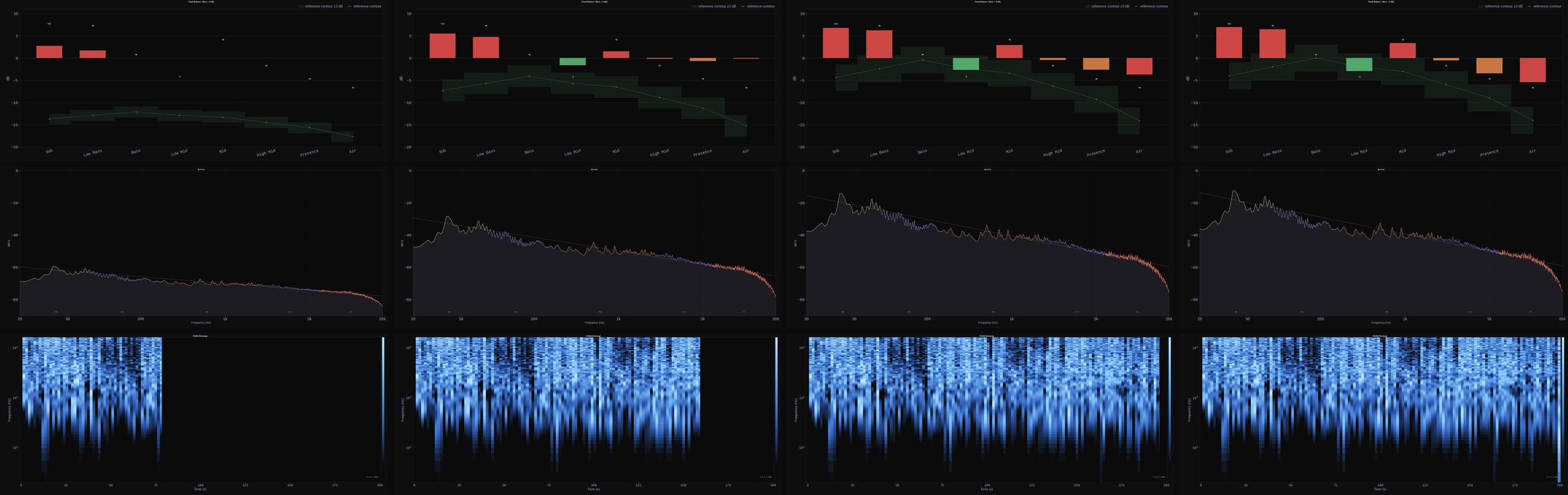
Kouncil: Animating Matplotlib Charts Without Drawing Them Again
Bars that grow, curves that rise, heatmaps that fill in: how Kouncil animates its charts in while rendering each one only once.
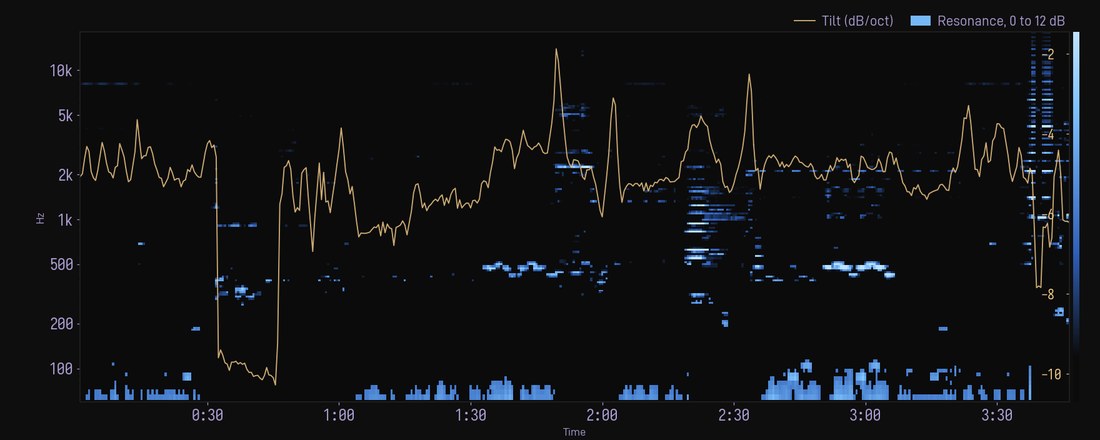
Kouncil: Algorithm Reference
Every analysis algorithm in Kouncil, the mastering analyzer: loudness, dynamics, spectral, perceptual, stereo, codec simulation and render QC.
Kouncil: Borrowed From Radar, Sonar and Spectroscopy
Three audio problems in Kouncil that other fields had already worked through: finding clicks, telling resonances from notes, and lining up a codec's output. One of the borrowed methods didn't survive real masters.
Kouncil: Where the Thresholds Come From
Why every pass/fail line in Kouncil is measured from 2,499 released masters instead of written from rules of thumb.